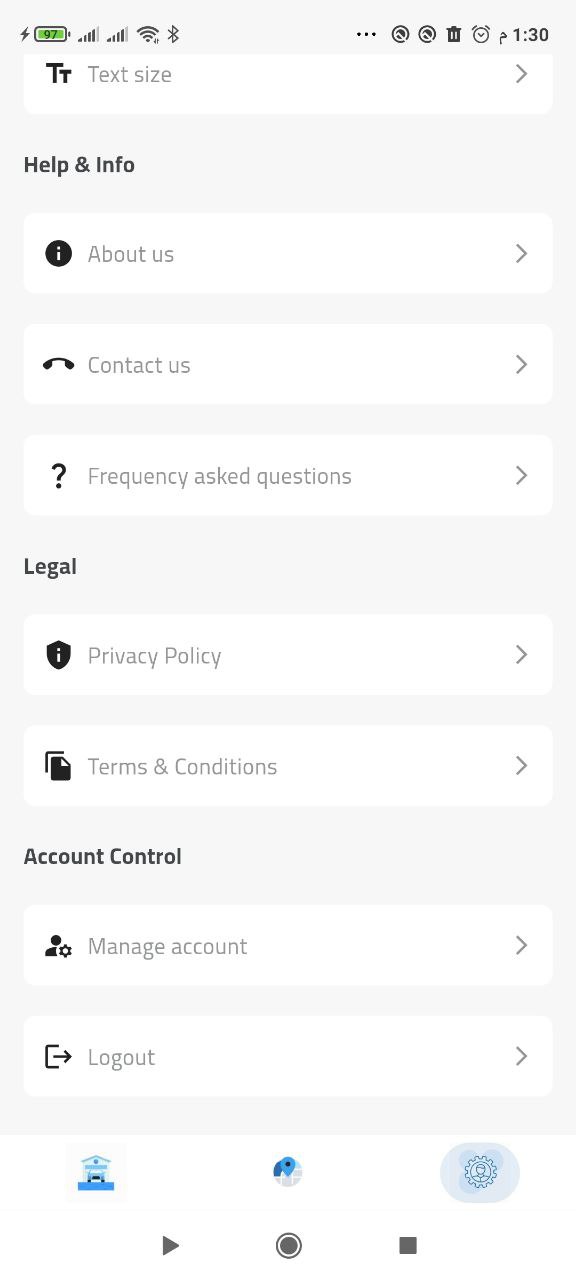
Navigate to the Settings menu and find the 'Account Management' option.
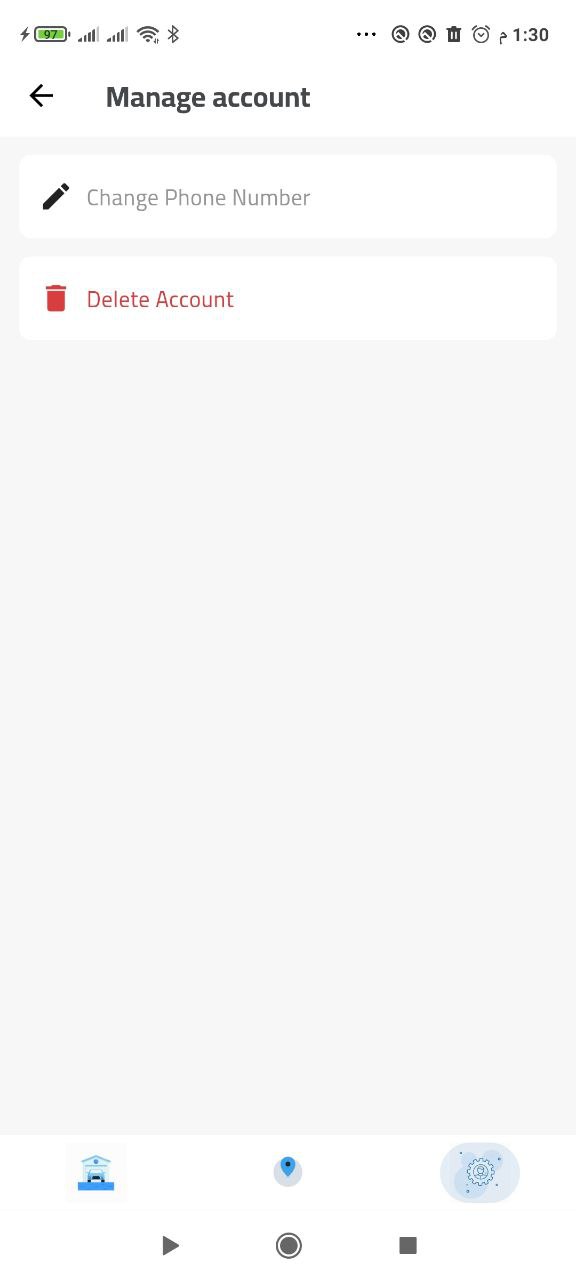
Step 2: Select Delete Account
In the Account Management section, tap on the 'Delete Account' option.
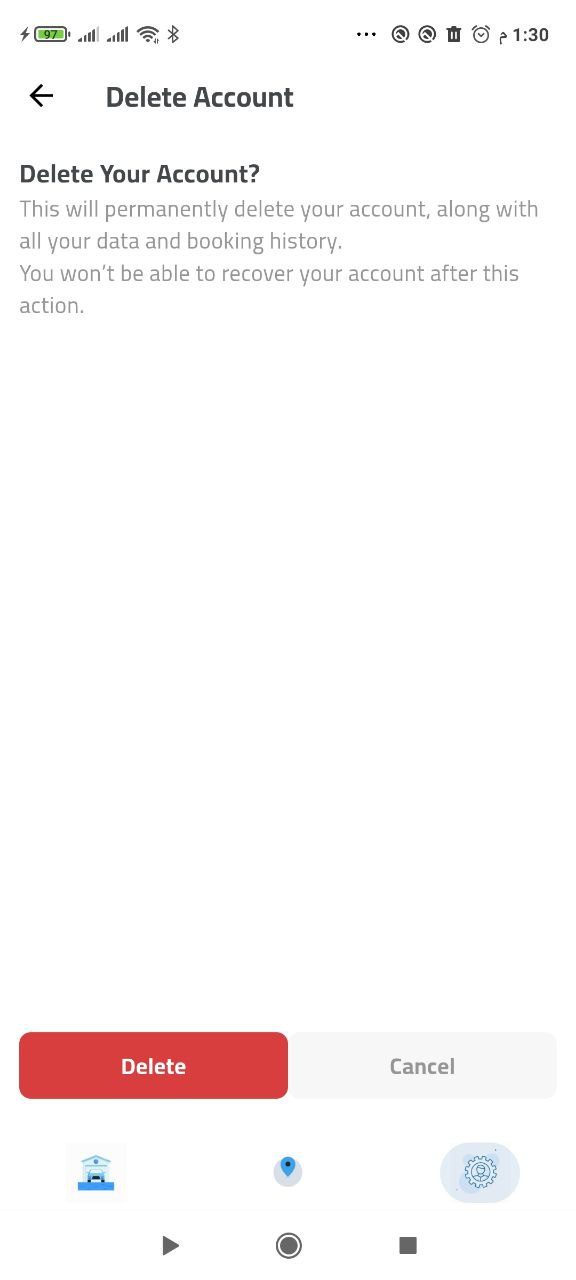
Step 3: Confirm Deletion
Review the warning message and confirm your decision to delete your account.
Welcome to the CSC Taxi Booking App Data Deletion Guide. We understand that you may want to delete your account and associated data. This guide explains how to do so safely and completely.
How to Delete Your Account
1. Through the App
- Open the CSC Taxi Booking App on your device
- Go to Settings (gear icon in the top right)
- Scroll down to find 'Account Settings'
- Tap on 'Delete Account'
- Confirm your decision by entering your password
- Your account will be permanently deleted within 30 days
2. Through Email Request
- Send an email to support@csctaxi.com
- Include your registered email address and phone number
- Request account deletion in the subject line
- We will process your request within 48 hours
What Data Gets Deleted
When you delete your account, we will remove:
- Your personal information (name, email, phone number)
- Your trip history and booking data
- Your payment information (securely deleted)
- Your profile photos and documents
- Your saved addresses and preferences
- Your chat history with drivers
- Your notification preferences
Data Retention Policy
- Account deletion is permanent and cannot be undone
- Some data may be retained for legal or regulatory purposes for up to 7 years
- Anonymous usage data may be kept for service improvement
- Emergency contact information may be retained for safety purposes
Before You Delete
Please consider:
- Download any trip receipts you want to keep
- Save any important addresses or preferences
- Cancel any scheduled rides
- Clear any pending payments
- Inform your emergency contacts about the deletion
After Deletion
- You will receive a confirmation email
- Your account will be inaccessible immediately
- All associated data will be removed within 30 days
- You can create a new account with the same email after 30 days
Reactivation
If you change your mind within 30 days:
- Contact support@csctaxi.com
- Provide your original account details
- We may be able to restore your account
- After 30 days, reactivation is not possible
Contact Us
For any questions about account deletion, please contact:
- Email: support@csctaxi.com
- Phone: +1(234)567-890
- Response time: Within 24 hours
Thank you for using CSC Taxi Booking App. We respect your privacy and are here to help with any concerns about your data.
-Unlock Your Dream Ride: Your Taxi Booking Destination
Download the App Now!
Know the cost. Track the ride. Share your trip — all in one tap!

Know your fare, time, and distance before you ride. Track your trip in real time and share your journey for added safety and peace of mind.